← Selected Work Adam Parish©

(03) CloudEngage / Web personalisation

CloudEngage.

Personalisation a small marketing team can run on its own.

CloudEngage lets marketing teams change what their website shows to each visitor. The product was six years old, built by developers with no design guidance, and customers were leaving. I led product design: research with customers, a self-serve sign-up, a faster way to make a personalisation and choose who sees it, and the product’s first design system.

ContextCloudEngage
RoleDesign & front-end
Year2019
Outcome+145% active personalisations
Open the app

01

The product I inherited

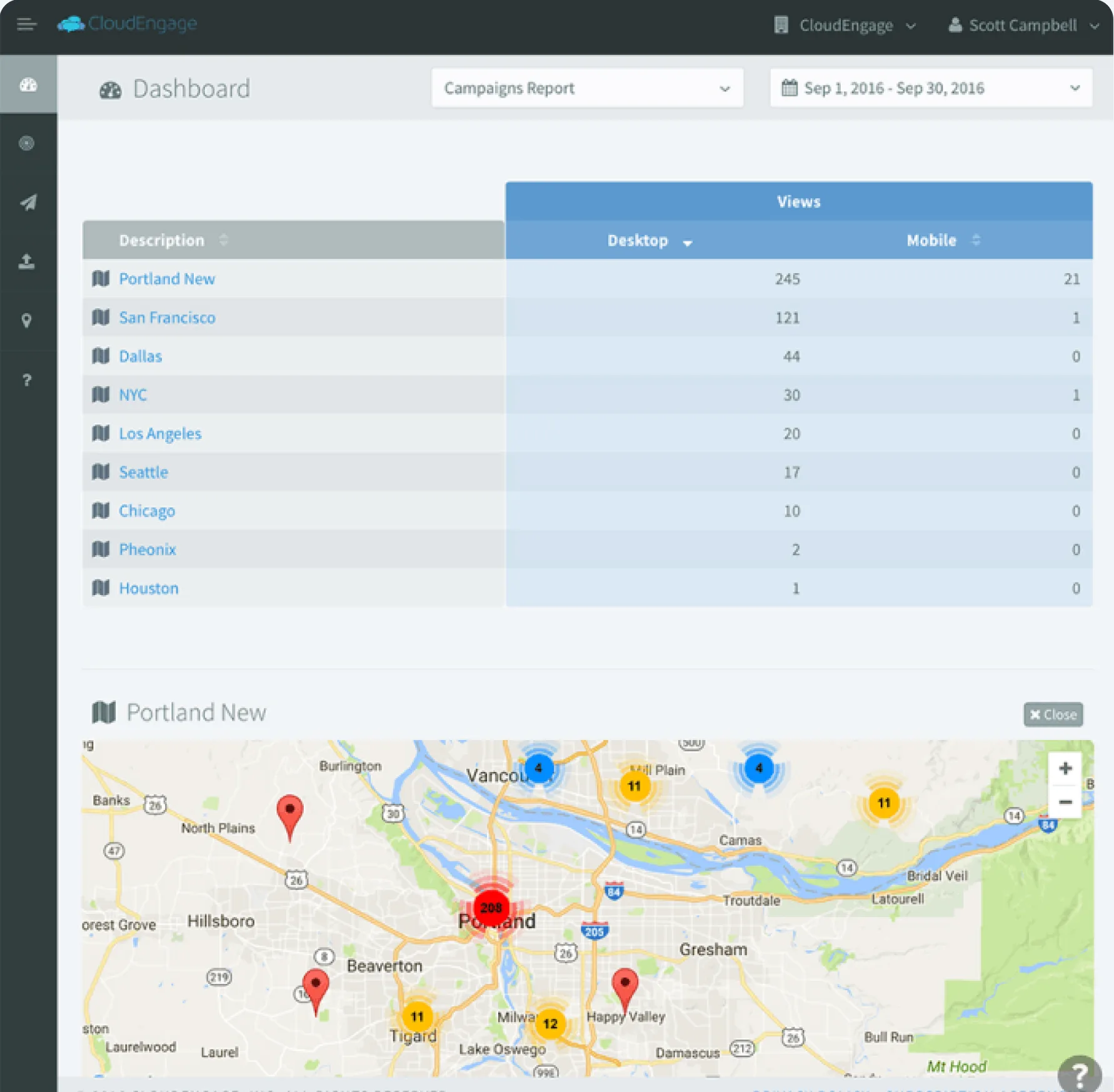
Six years of features, one dashboard of campaign tables, and no design guidance behind any of it. Interviews and usability tests showed where it failed: content was slow to make, audience setup was unclear, and every campaign rebuilt its audience from scratch.
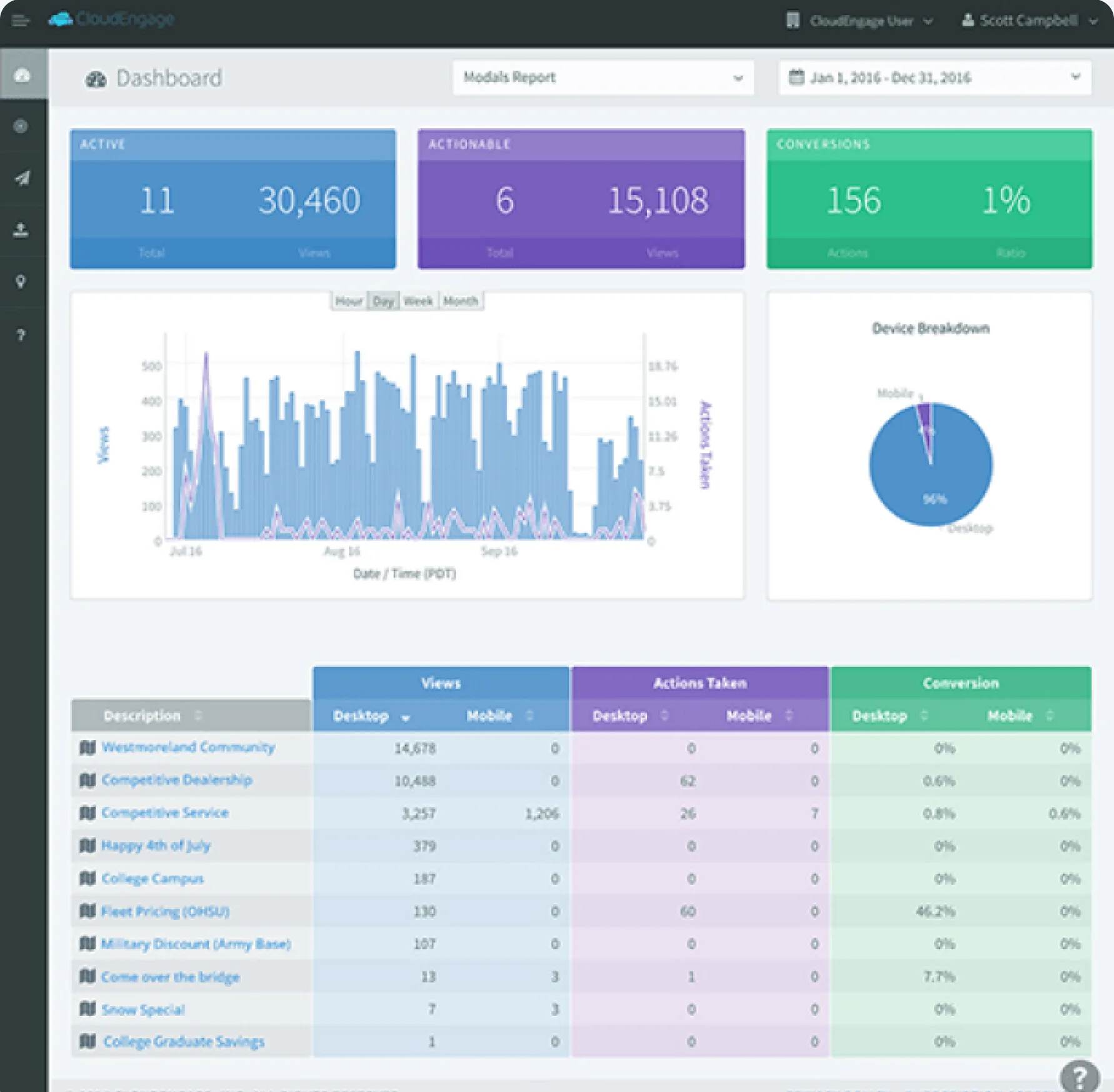
CloudEngage: The dashboard when I joined: views, actions and conversions per campaign
The dashboard when I joined: views, actions and conversions per campaign
CloudEngage: A campaign report by city, over a map of visitors
A campaign report by city, over a map of visitors

02

Sign up without a sales call

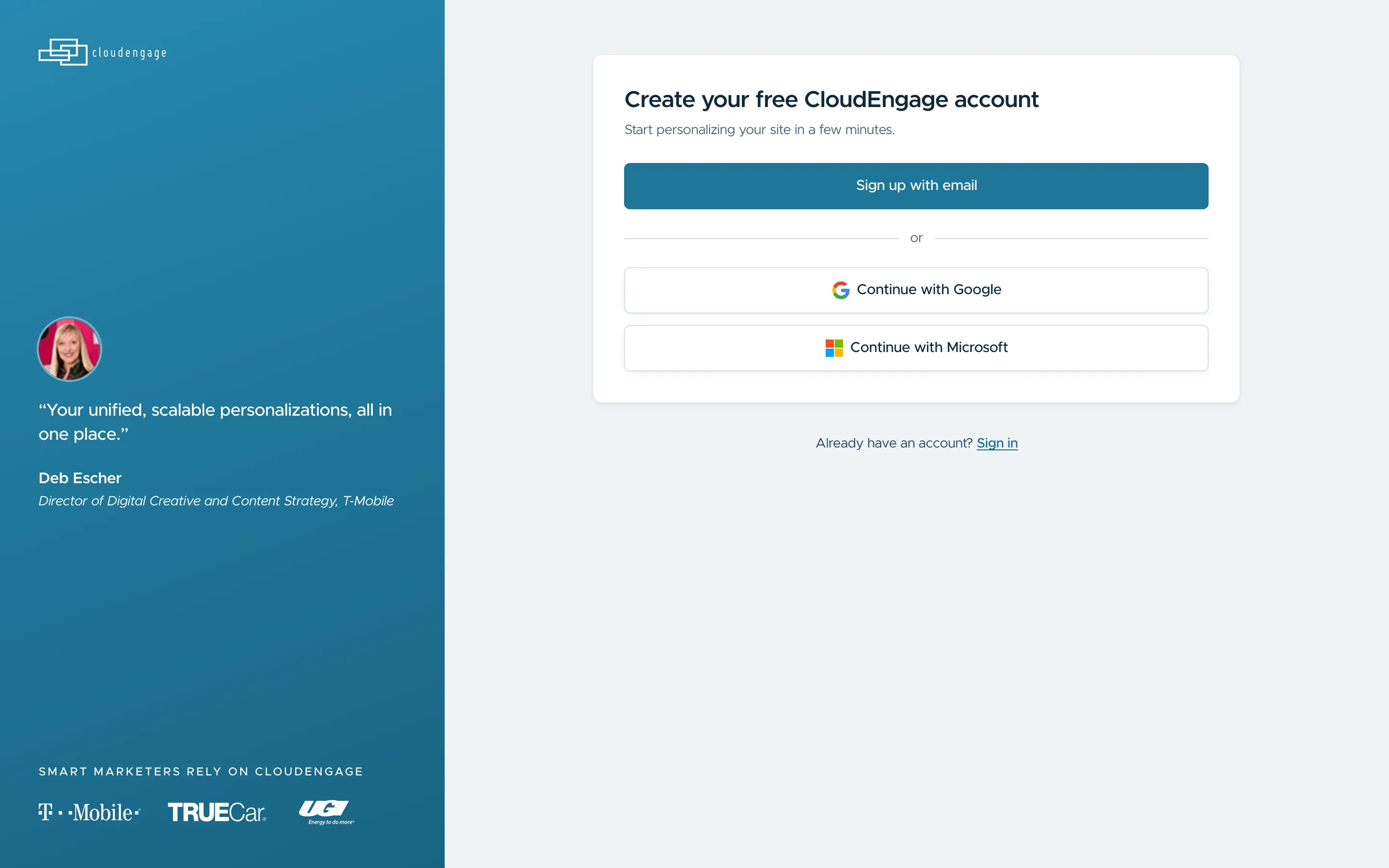
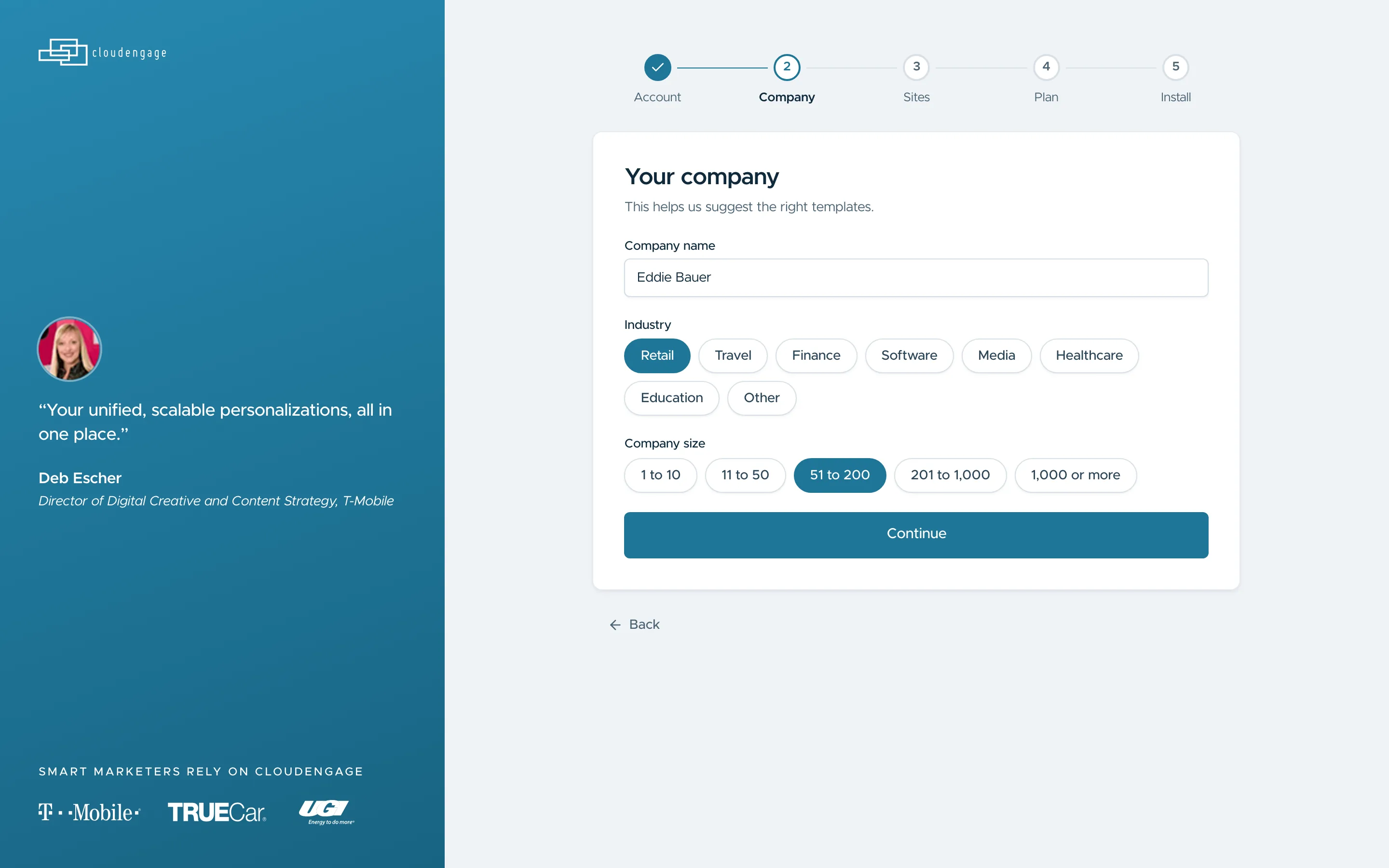
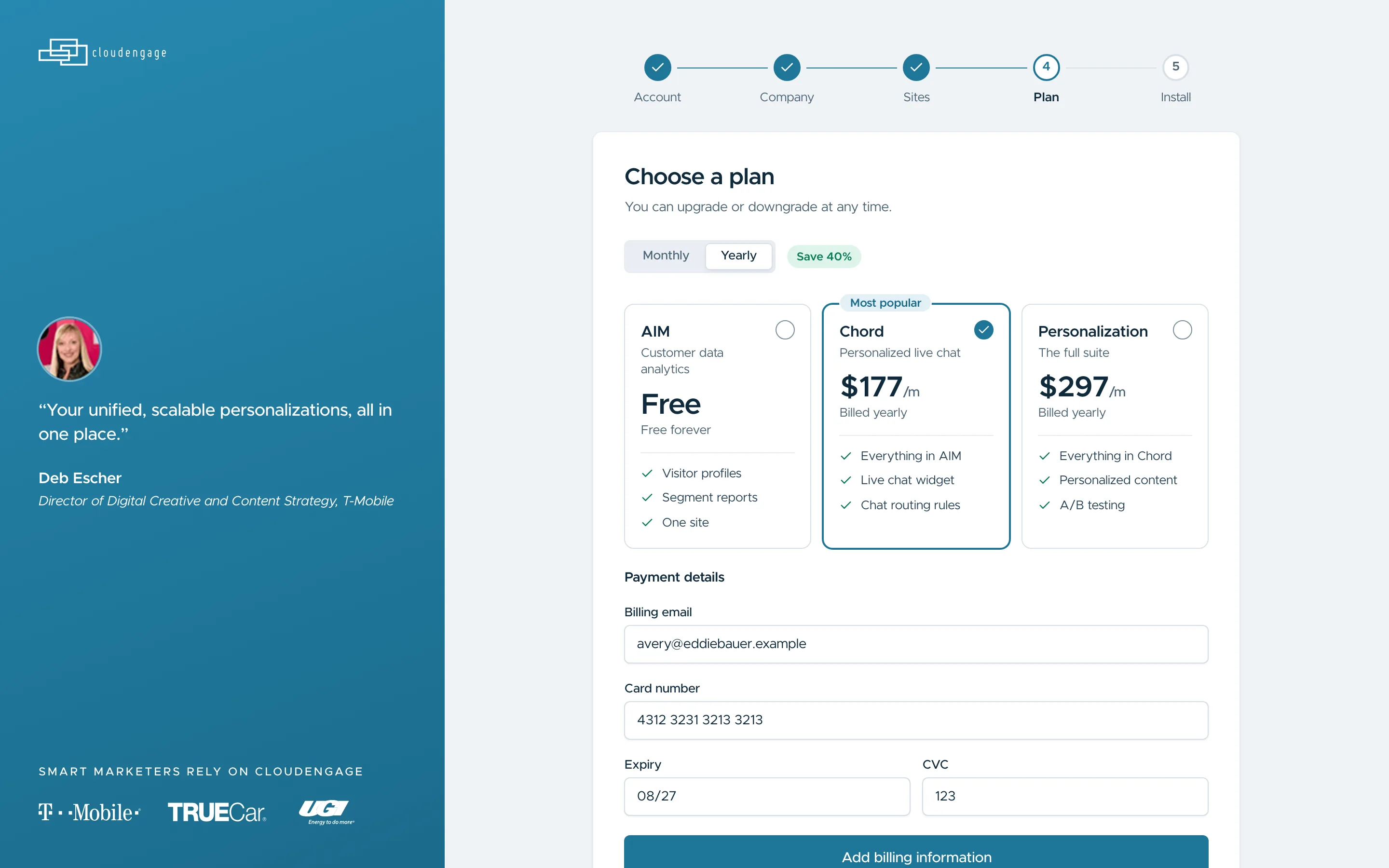
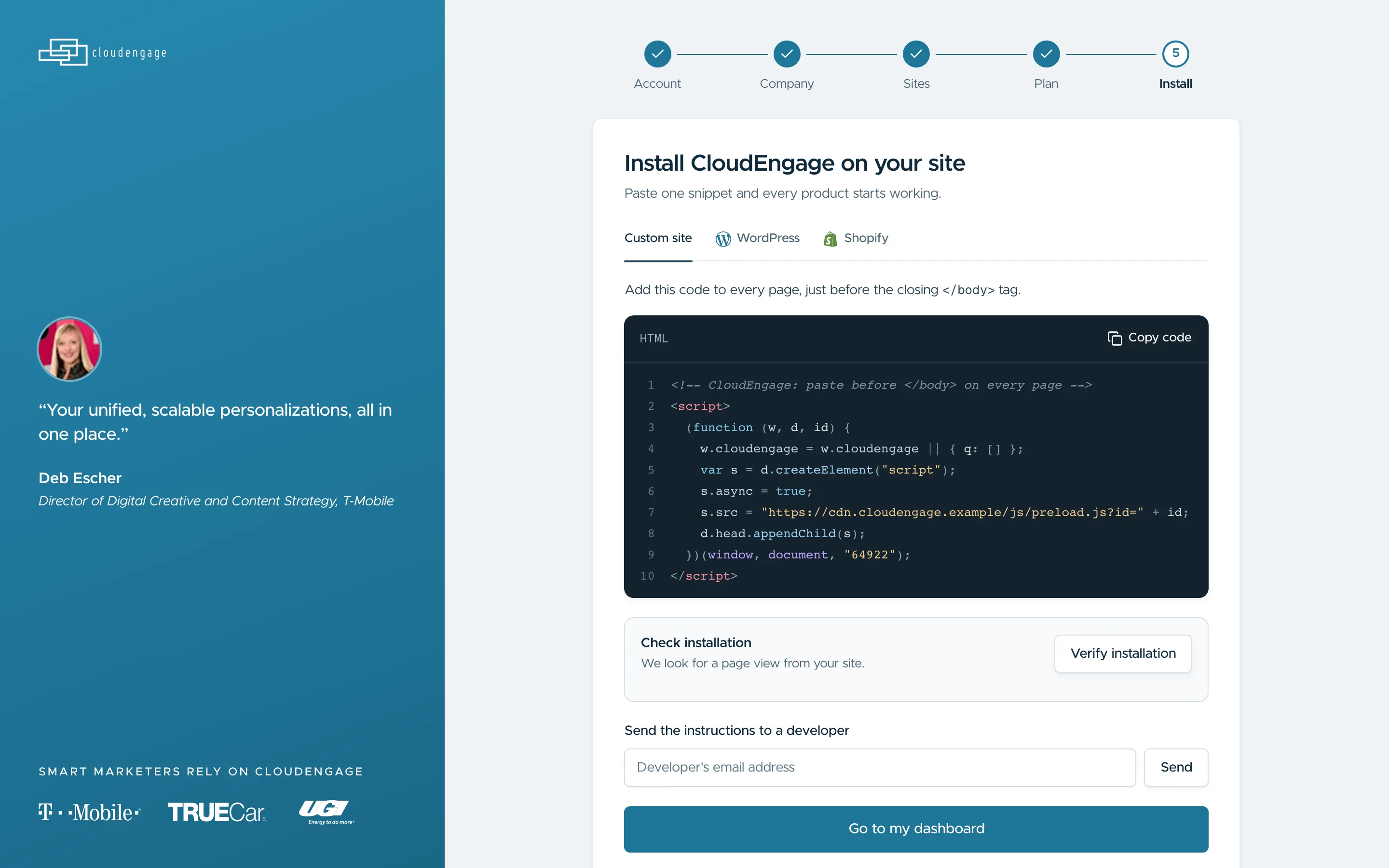
Sales set up every new account by hand. The new flow takes a team from an email address to a live install on its own: account, details, company, sites, plan and the code snippet.

Design noteThe install step has tabs for a custom site, WordPress and Shopify, and a way to send the snippet to a teammate, because the marketer signing up is often not the person who can paste it.

CloudEngage: A free account, with email, Microsoft or Google
A free account, with email, Microsoft or Google
CloudEngage: The company: industry and team size
The company: industry and team size
CloudEngage: A plan, monthly or yearly, or hand billing to a teammate
A plan, monthly or yearly, or hand billing to a teammate
CloudEngage: The snippet for a custom site, WordPress or Shopify
The snippet for a custom site, WordPress or Shopify

03

From a blank page to a live popup

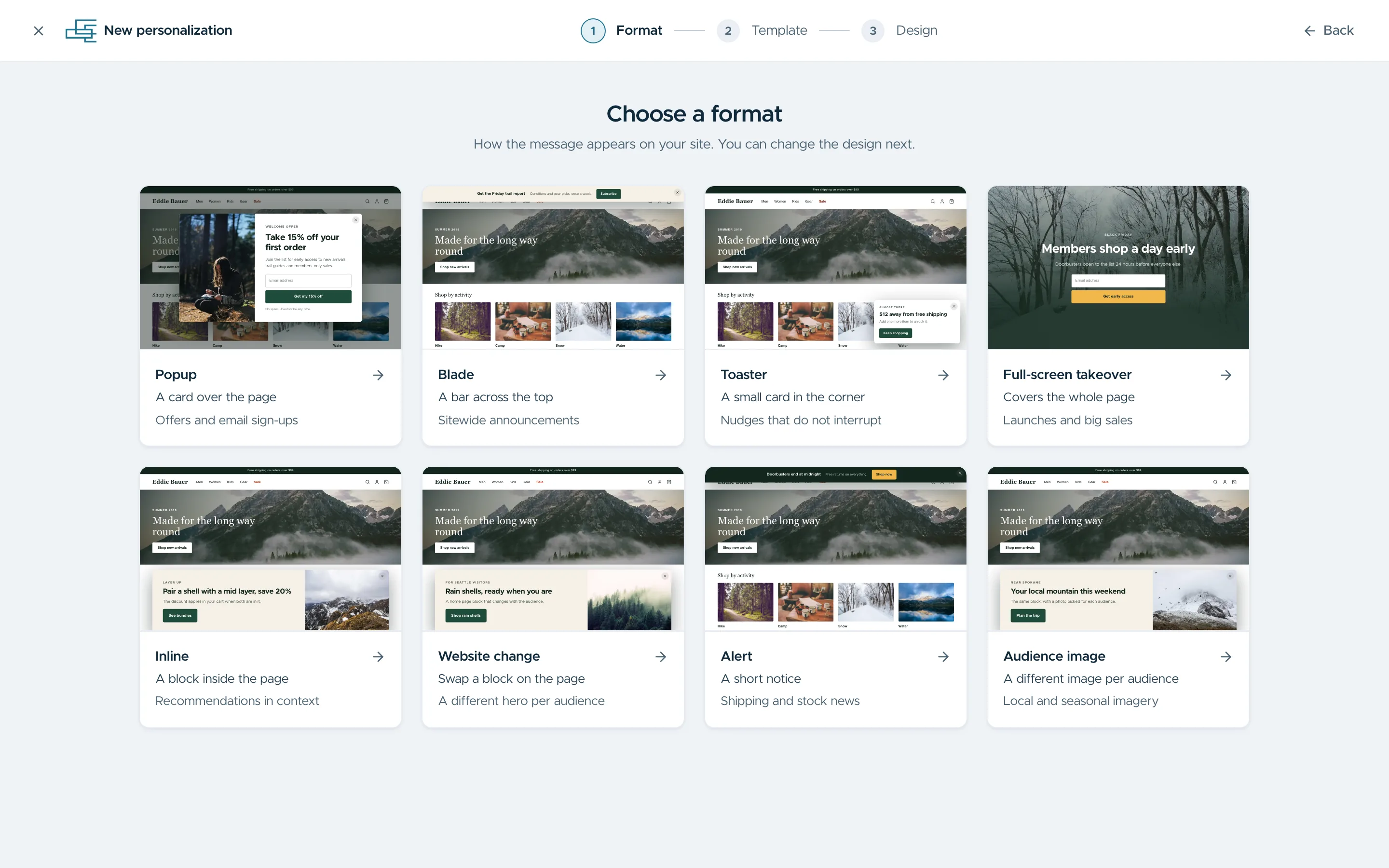
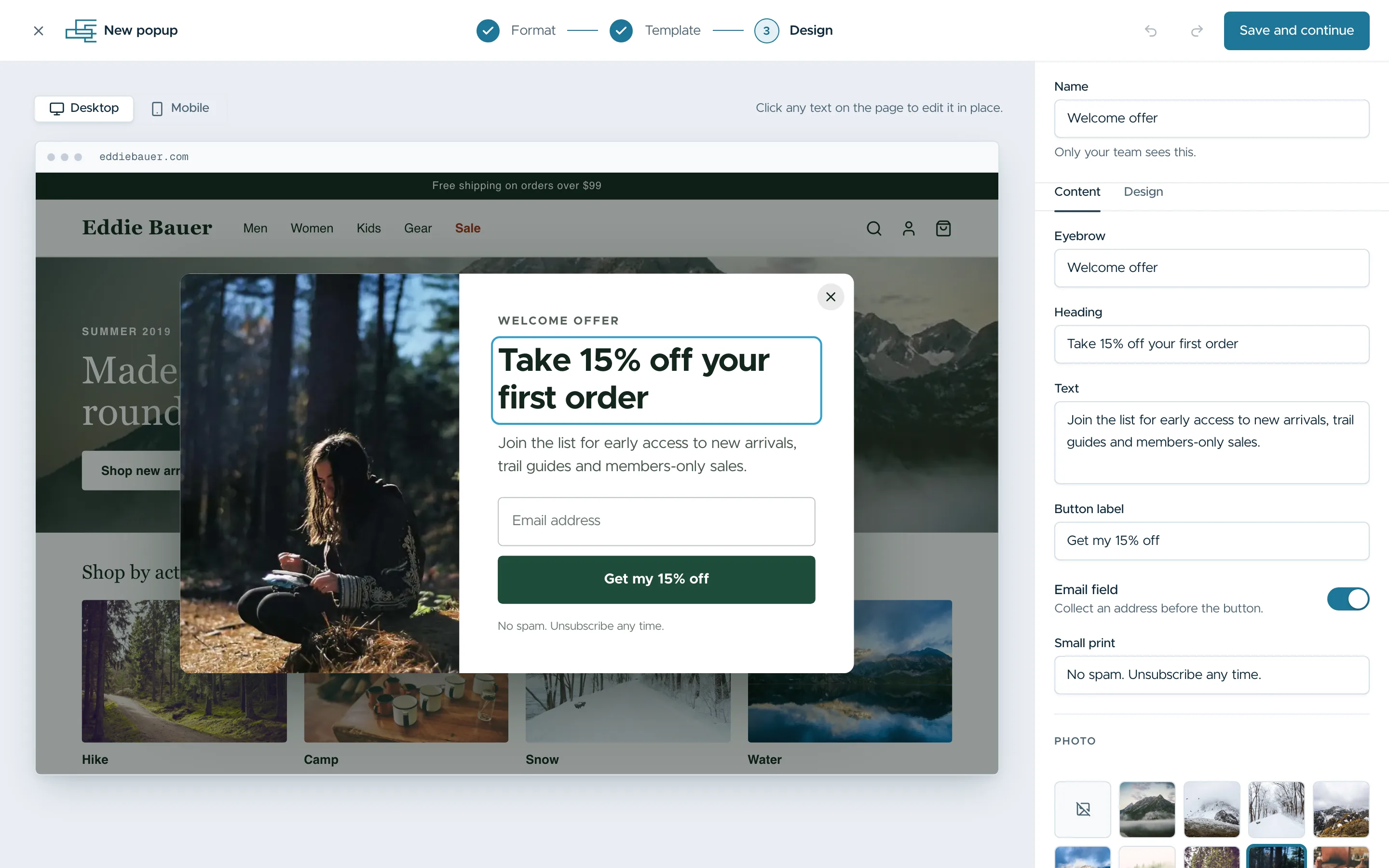
Making content was the slowest part of the old product. Now a marketer picks a format, then a template, then edits it in place with their own page behind it.

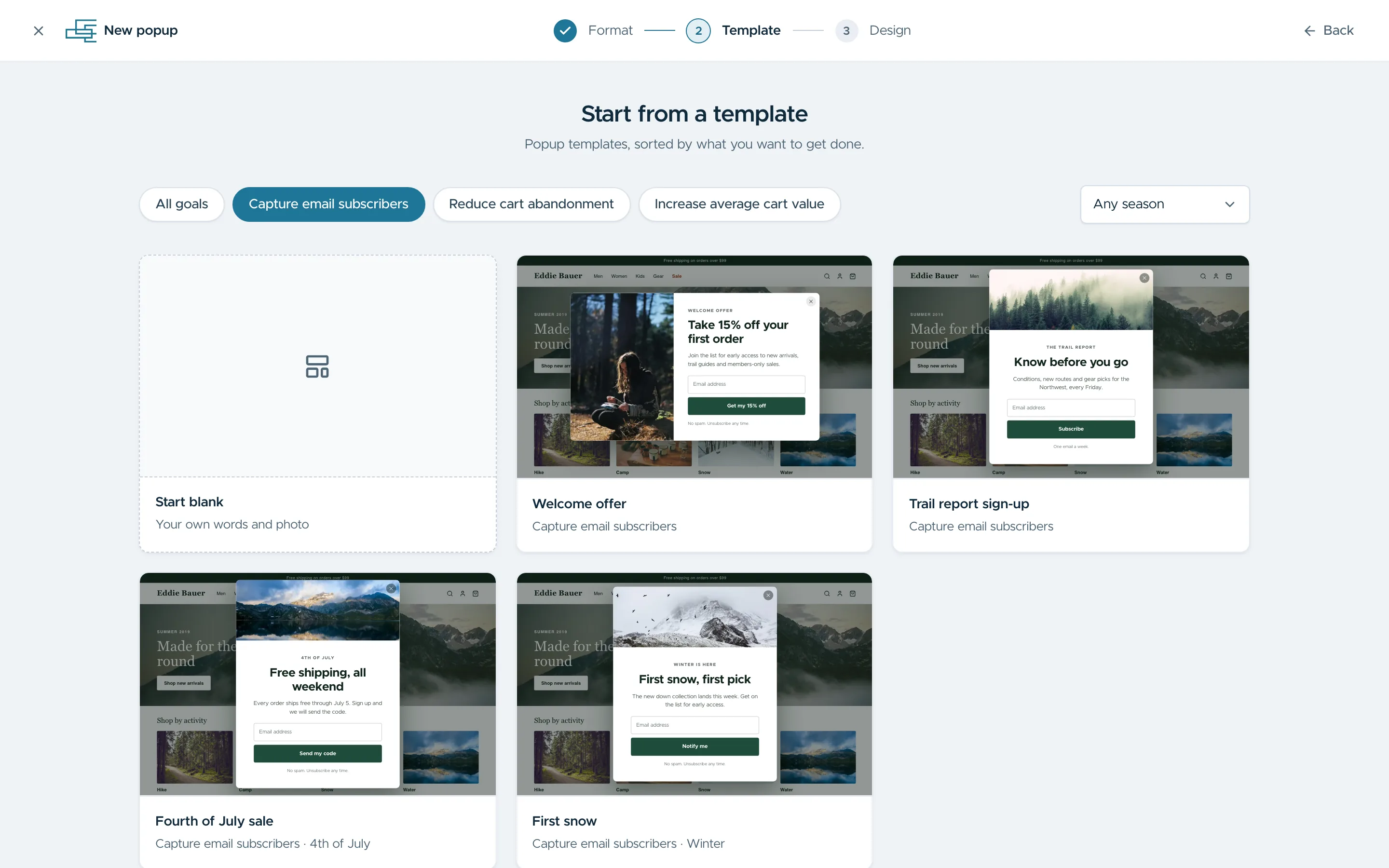
Design noteTemplates filter by goal as well as by layout, such as capturing email or reducing cart abandonment, so a marketer can start from what the campaign is for.

CloudEngage: Eight formats, from a toaster to a full-screen takeover
Eight formats, from a toaster to a full-screen takeover
CloudEngage: Templates filtered by goal and season
Templates filtered by goal and season
CloudEngage: Editing the heading in place, with its content and design settings beside it
Editing the heading in place, with its content and design settings beside it

04

Audiences you build once

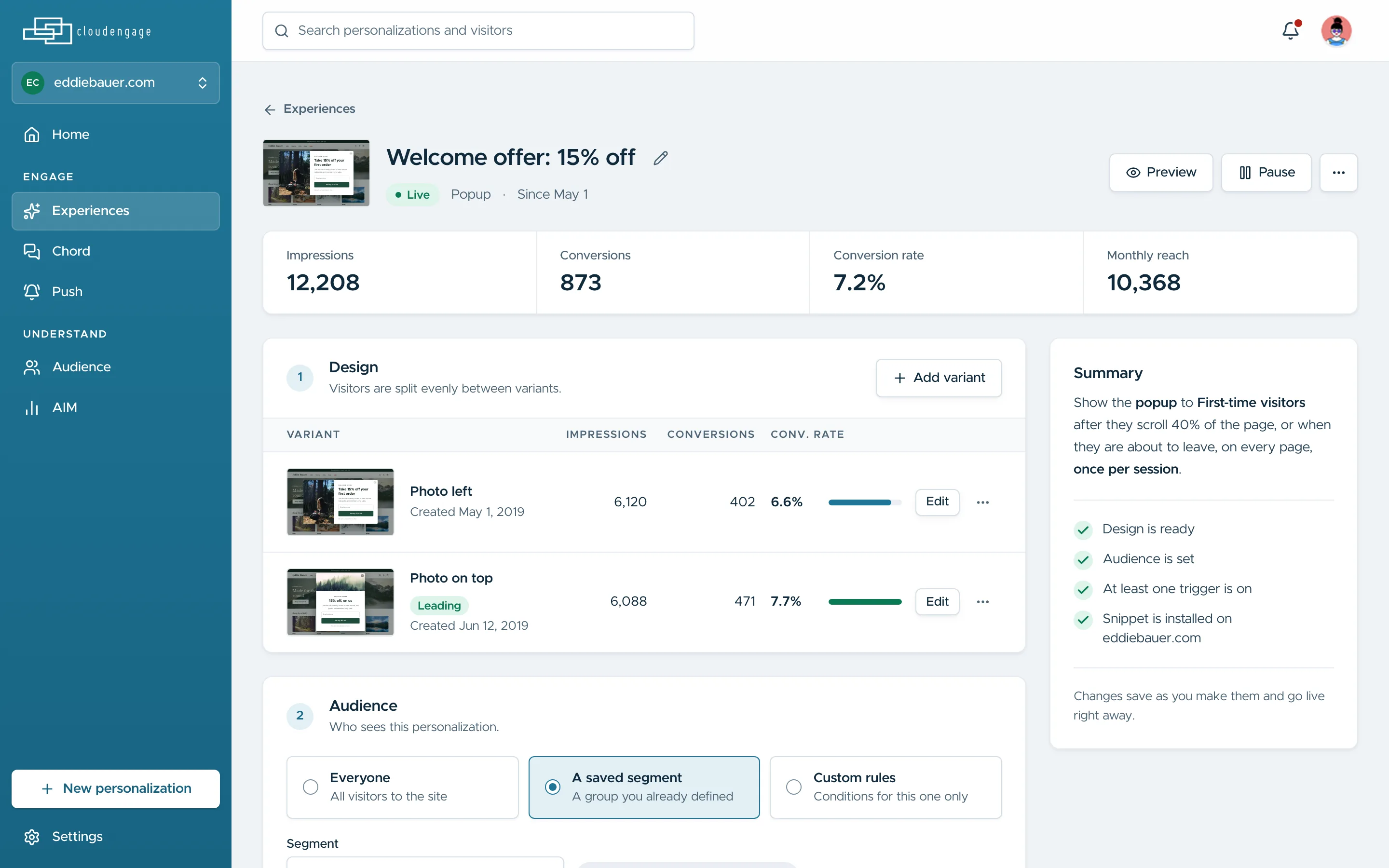
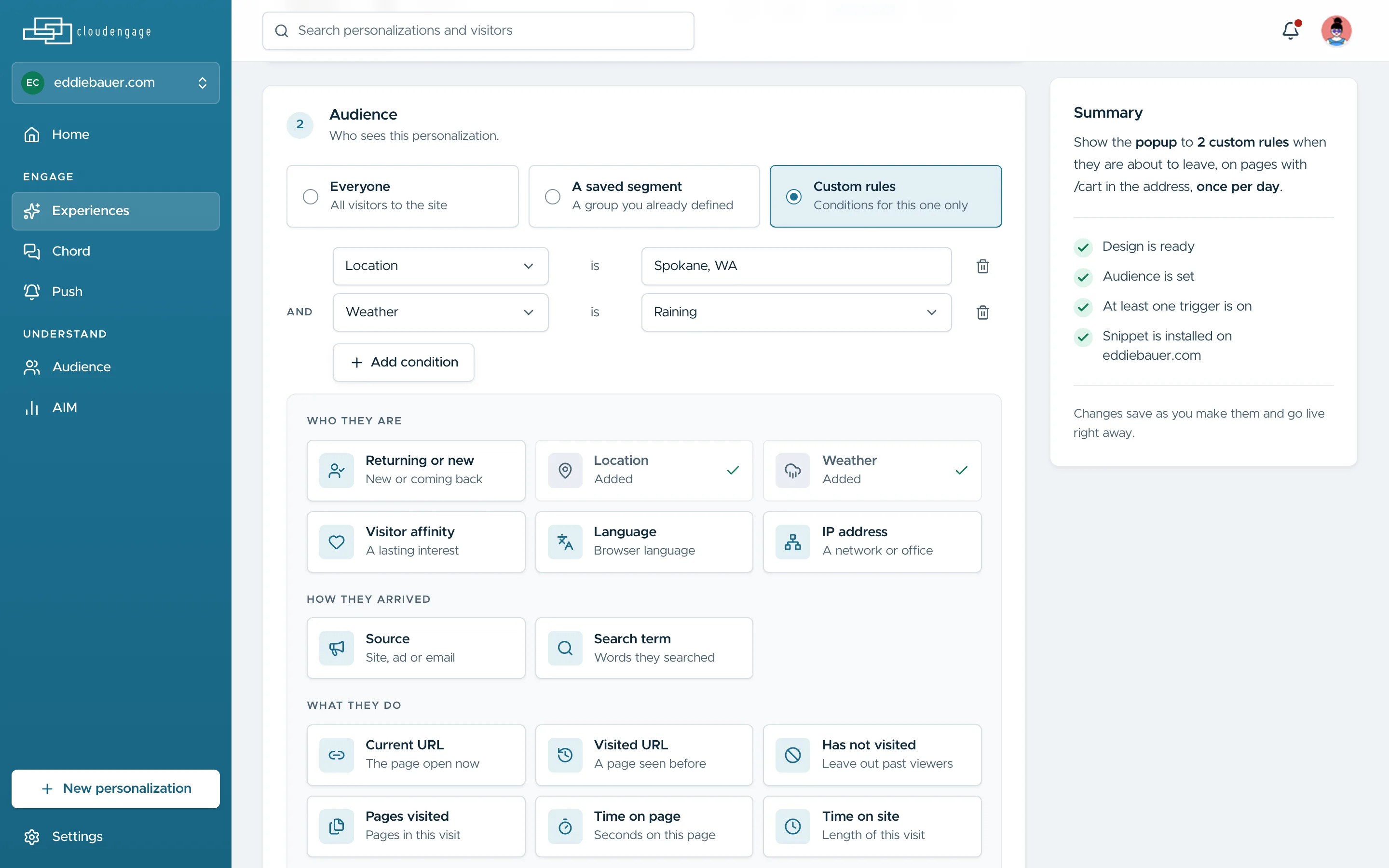
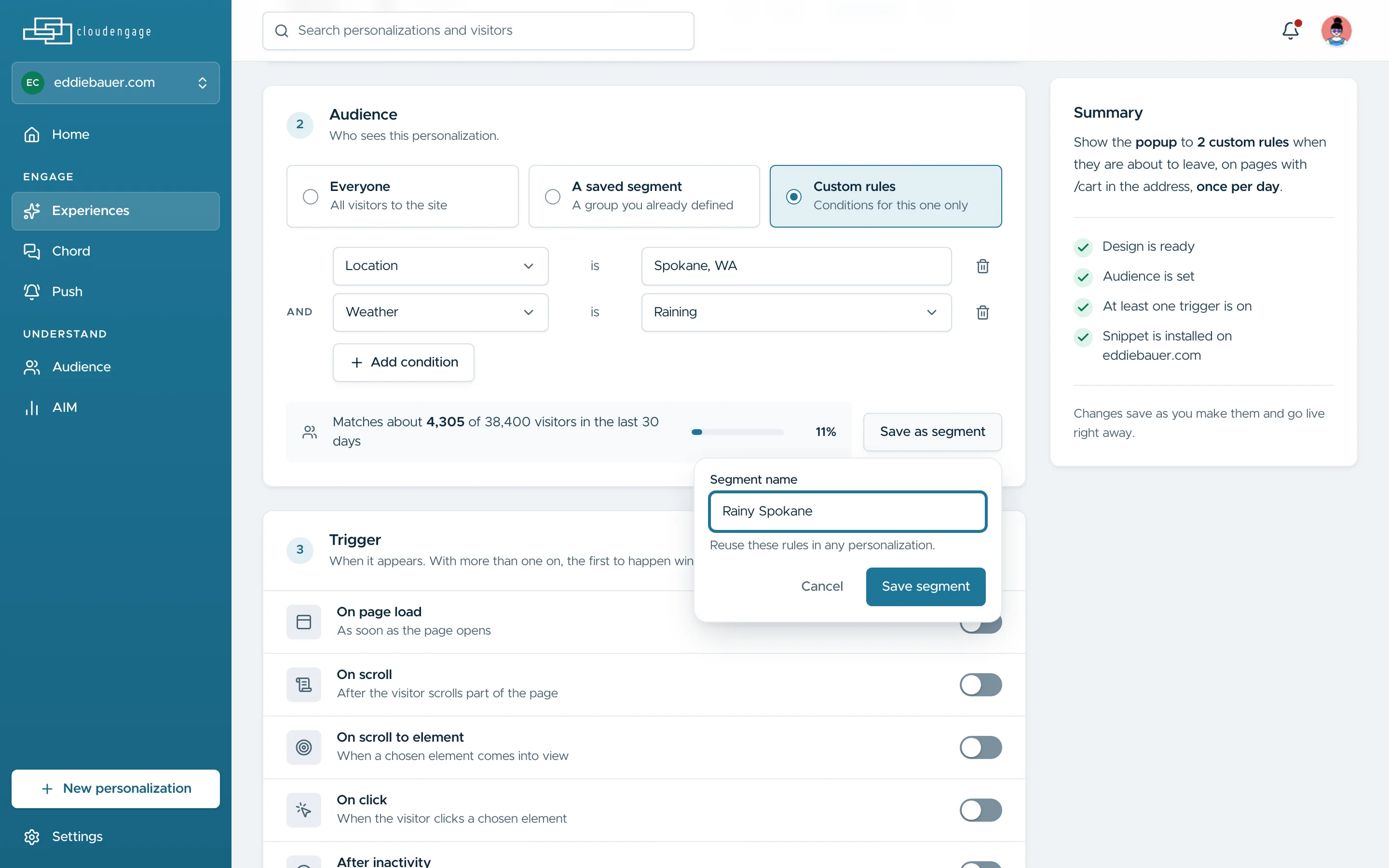
Teams told us they rebuilt the same audience for every campaign. A personalisation now holds who, when and how often on one page, and an audience can be saved as a segment and reused.

Design noteTargeting options are grouped by who the visitor is, how they arrived and what they do, and each rule reads as a plain sentence instead of a raw rule field.

CloudEngage: One personalisation: variants with their results, who sees it and when
One personalisation: variants with their results, who sees it and when
CloudEngage: Location and weather added as conditions, with the reach they match
Location and weather added as conditions, with the reach they match
CloudEngage: Saving the audience as a segment to reuse
Saving the audience as a segment to reuse

05

A design system for a team without a designer

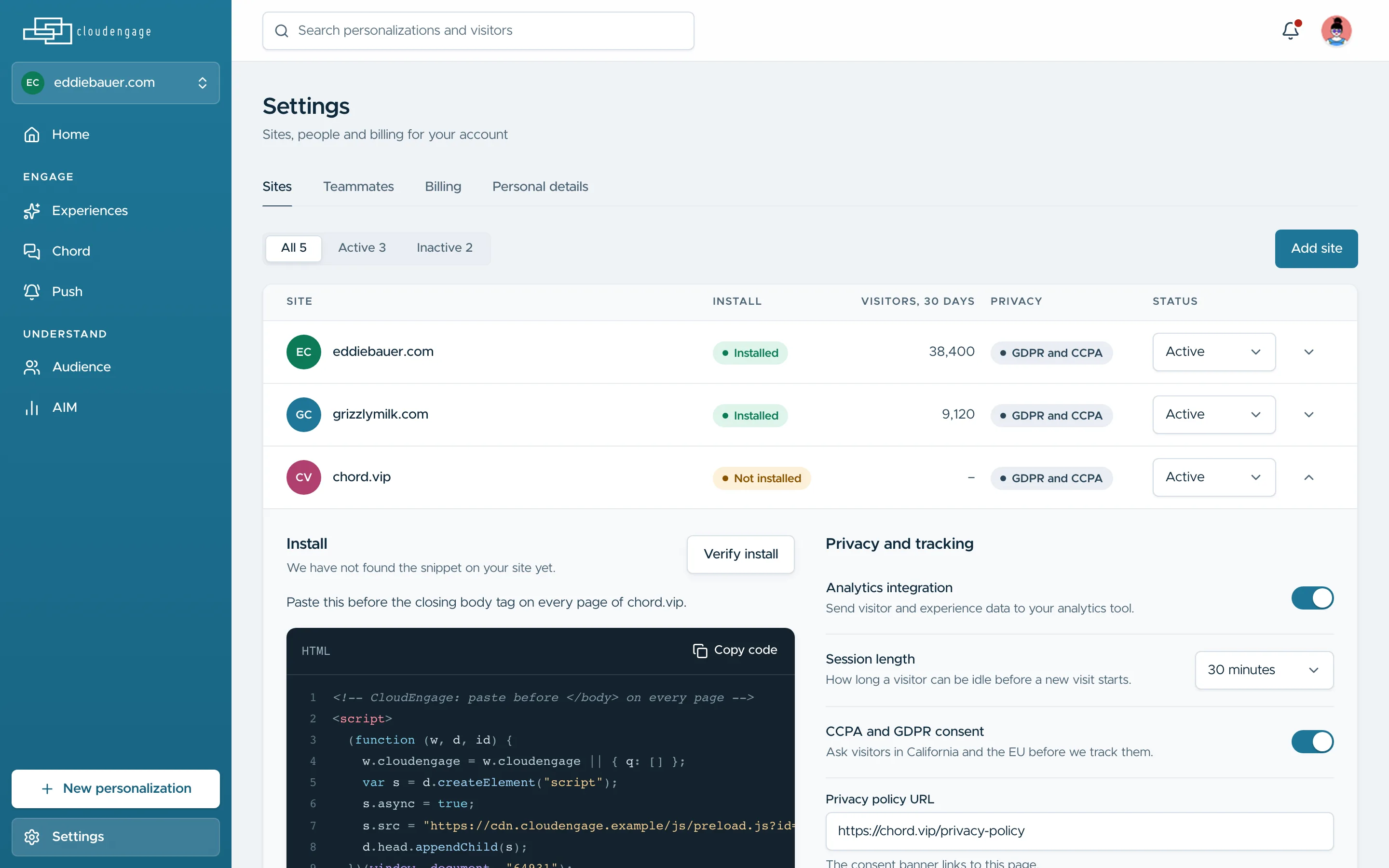
I set up the product’s first design system, from form controls to buttons, and moved every area of the product onto it, settings and site install included.

CloudEngage: Site settings on the system: install status, analytics and privacy support
Site settings on the system: install status, analytics and privacy support

06

Know who is visiting

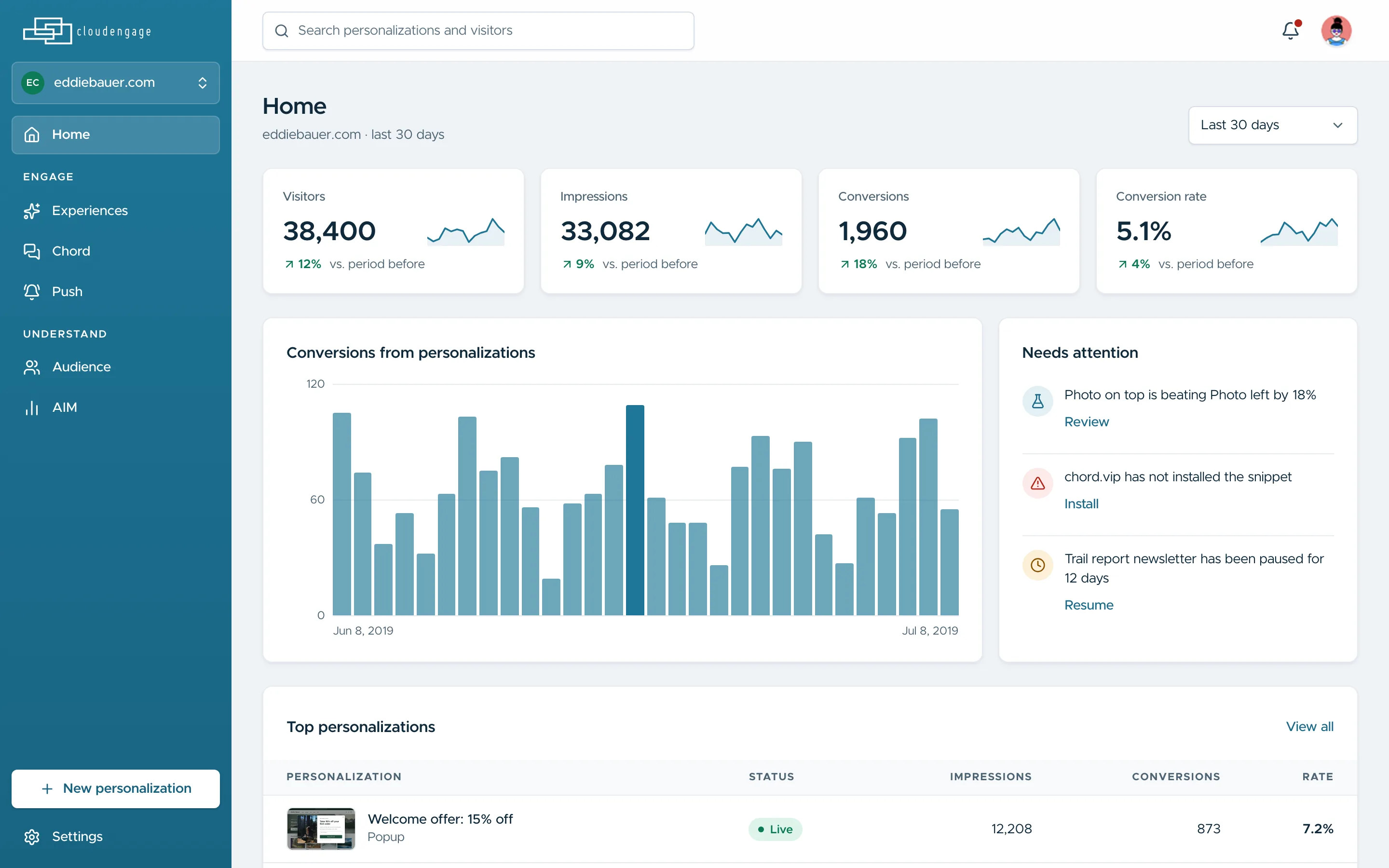
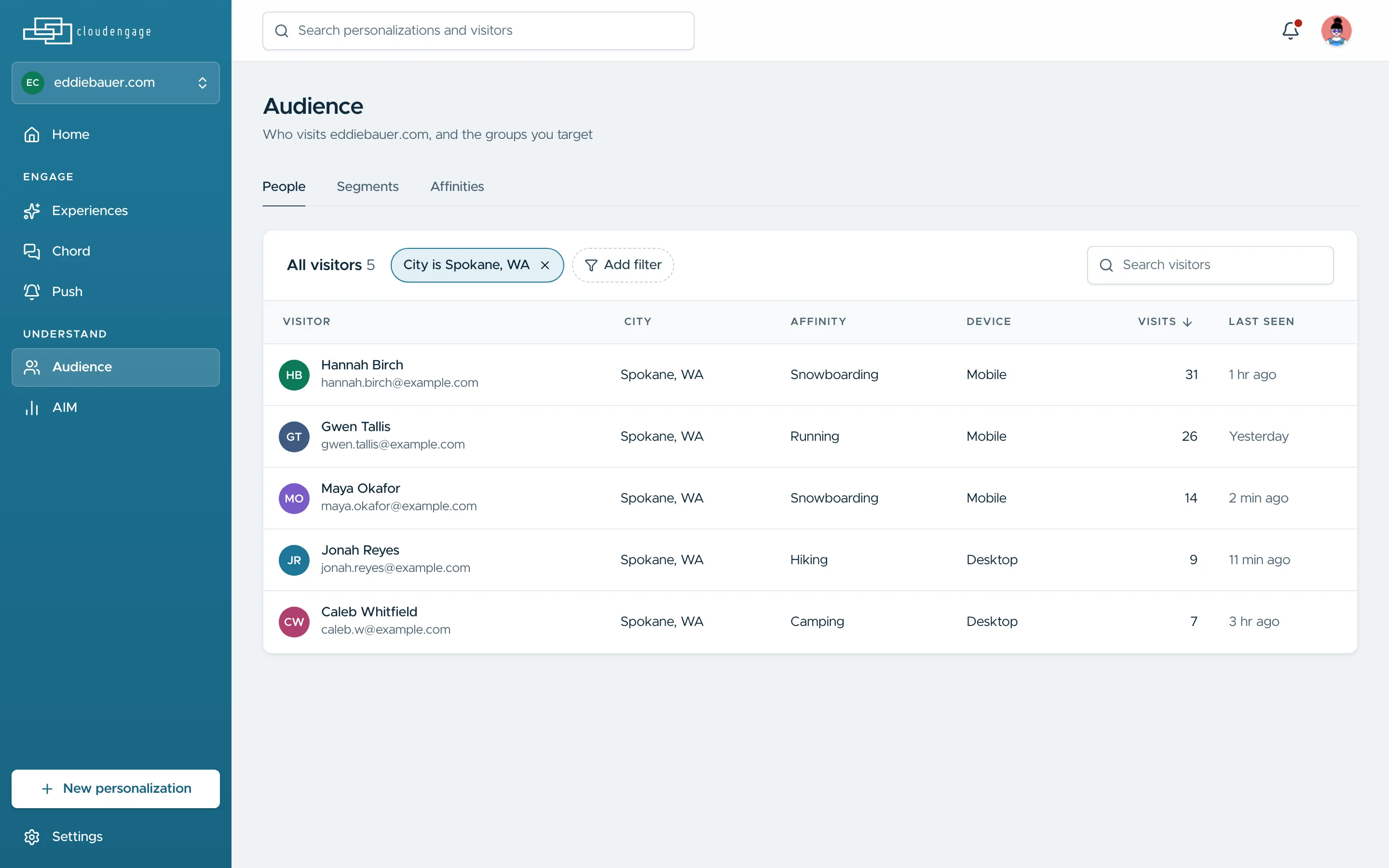
The problem under all of it: marketing teams could not tell who was on their site. Home shows visitors, conversions and what needs attention, and the audience list filters people down to the ones worth targeting.

CloudEngage: Home: visitors and conversions, what needs attention and what is running
Home: visitors and conversions, what needs attention and what is running
CloudEngage: Everyone visiting from Spokane, with what each is into
Everyone visiting from Spokane, with what each is into

Design system

CloudEngage

Cool blue-grey grounds with one teal brand taken from the logo; fields with a light edge and a soft shadow, 6 to 10px corners and nothing decorative.

Typeface

Metropolis

Regular 400 · Medium 500 · Semibold 600 · Bold 700

Numbers in Geist Mono

Type scale

  1. Display 30 / 36 · 600
  2. Title 24 / 32 · 600
  3. Heading 20 / 28 · 600
  4. Subhead 18 / 28 · 600
  5. Body strong 16 / 24 · 600
  6. Body 14 / 20 · 500
  7. Caption 12 / 16 · 500

Colour

  • Brand #1F7697 Primary action, links, active nav and the one accent
  • Brand deep #18627F Pressed and hover state of the brand
  • Brand soft #E3F0F6 Selected rows, chips, quiet highlights
  • Ink #102A3C Headings and primary text
  • Ink 2 #2C4658 Body copy and secondary text
  • Ground #F0F3F7 Page background
  • Surface #FFFFFF Cards, menus, the editor canvas
  • Line #E6EBF0 Hairlines and card edges
  • Positive #0B7A57 Success, verified install, live
  • Danger #B42318 Errors and destructive actions
  • Series 2 #7A5BC7 Second chart series and variant B
  • Caution #8A5300 Paused, not installed, needs a look

Icons · Lucide

  • house
  • sparkles
  • messages-square
  • bell-ring
  • users
  • chart-no-axes-column
  • map-pin
  • cloud-rain
  • mouse-pointer-click
  • scroll-text
  • log-out
  • settings

Components

A product that had stopped growing

CloudEngage lets marketing teams tailor their website to each visitor. After six years of features built without a designer, the product was bloated, retention was low and revenue was drying up. We set three goals: lift usage through better UX and visual design, grow the north-star metric of active personalisation campaigns, and let customers sign up on their own.

Finding where it broke

I interviewed 17 current customers and 11 marketing managers in our target market, ran usability tests with 3 existing and 2 new users, and added a heuristic review, competitive analysis and product analytics. Our customers were high-performing marketing teams of three to five people at auto and RV dealerships, restaurant chains and e-commerce sites, always looking for the next conversion win and short on time to learn a complex tool.

Focus over breadth

With a product manager, a tech lead and three engineers, I ranked the work on a priority matrix and put sign-up, content creation and targeting first. Two lessons stayed with me: solve one market’s needs before expanding, and know when to retire a feature.

Outcome

In the first month of the new onboarding, 27 of 30 new customers finished setup without contacting support, and sales no longer set up accounts by hand. Active personalisations grew 145% in the three months after the new workflow launched, and we signed a large auto and RV dealership.

Next project

ChordConnect →
Spokane, WA · 00:00:00 Back to top ↑